



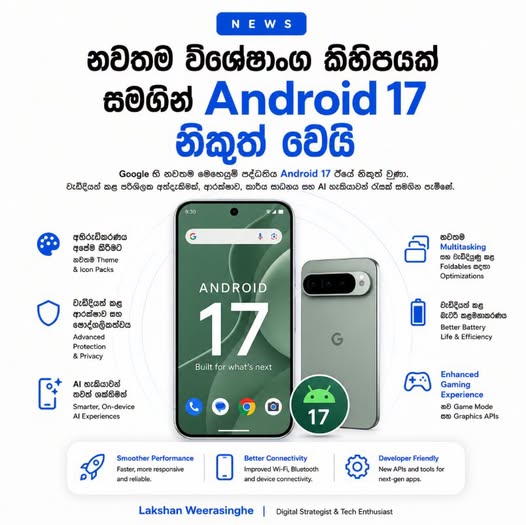

ඒත් මේක ලොකු Update එකක් නම් නෙවෙයි. අපි බලමු අළුතින් ආපු දේවල් මොනවද කියල.
1. Compact Settings menus – Android 17 වල Settings menu කිහිපයක් තව compact කරලා තියෙනවා. ඒ නිසා sub menus තුළ options අඩු ඉඩකින් පෙන්වන්න පුළුවන් වෙනවා
2. Redesigned status bar privacy indicators – Location, Camera, Microphone භාවිතා කරන විට status bar එකේ පෙන්වන privacy indicators තවත් compact design එකකට මාරු වෙලා තියෙනවා
3. Improved permissions pop-ups – App location permission pop-up එකත් වැඩිදියුණු කරලා, “Precise” සහ “Approximate” වගේ options තෝරාගන්න පහසු UI එකක් දීලා තියෙනවා.
4. Bigger buttons for specific Live Updates – Google Maps වගේ ඒවයි Live update button විශාල වෙලා තියෙනවා.
5. New fingerprint enrollment animation – Increased Sensitivity On වෙලා නම් Fingerprint වලදි අළුත් Animation සහ Register process එකක් ලැබෙනවා.
6. Volume menu overflow icon – Volume වලට දැන් Settings menu එකකුත් එනවා
7. Combined ‘Accounts and backup’ menu – Account s & Backup එක දැන් top-level menu option එකක් විදිහට පෙන්වනවා
8. Satellite QS Tile – Satellite SOS Calling & SMS වලට Quick settings එකක් තියෙනවා.
9. App Bubbles – Android 17 වල App bubbles feature එක නැවත හඳුන්වා දීලා තියෙනවා. මේකෙන් apps floating window එකක් ලෙස screen එක මත තබාගෙන multitasking කරන්න පුළුවන්. ඕනෑම app එකක් bubble එකක් විදිහට open කරලා, screen එකේ ඕනෑම තැනකට move කරලා භාවිතා කරන්න පුළුවන්.
10. Improved Quick Reply method – Quick Reply feature එකත් වෙනස් කරලා තියෙනවා. කලින් suggested reply එක tap කළාම කෙලින්ම send වුණත්, Android 17 වල ඒ text එක message box එකට පළමුව ඇතුළත් වෙනවා. ඒ නිසා send කිරීමට පෙර edit කරන්න හෝ check කරන්න පුළුවන්.
11. Per-app expanded dark theme controls – Dark theme controls වැඩිදියුණු කරලා, system-wide forced dark mode එක වෙනුවට එක් එක් app සඳහා වෙනම dark theme force කරන්න පුළුවන් වෙලා තියෙනවා.
12. Split Wi-Fi and Mobile data QS tiles – Wi-Fi සහ Mobile Data Quick Settings tiles වෙන වෙනම පෙන්වීමත් Android 17 වල ලොකු usability improvement එකක්. 2×1 tile layout එකේ වම් පැත්ත tap කළාම on/off කරන්න, දකුණු පැත්ත tap කළාම network selection menu එක open කරන්න පුළුවන්.
13. Assistant Volume controls – Gemini සහ වෙනත් Assistant responses වල volume එක system sound වලින් වෙනම control කරන්න Android 17 වල option එකක් තියෙනවා.
14. Redesigned screen recording system – Screen recording system එකත් redesign කරලා, floating pill control, audio options, recording preview, edit/share/delete options වගේ පහසුකම් එකතු කරලා තියෙනවා
15. Save option in Recents menu sharing – Recents menu එකෙන් images වගේ files save කරන්න dedicated “Save” option එකක් දීලා තියෙනවා
16. Biometric sheets add ‘close’ button – Biometric pop-up sheets close කරන්න top-right close button එකක් එකතු කරලා තියෙනවා.
17. Split-screen adjustment toggles – Split-screen භාවිතා කරන විට divider එක tap කරලා 10% increments වලින් app size adjust කරන්න පුළුවන්
18. Device user network controls – Multiple user accounts තියෙන devices වල admin user ට saved Wi-Fi networks share කරනවාද, වෙන users ට network settings edit කරන්න දෙනවාද කියලා control කරන්න පුළුවන්
19. Comfort Filters for Pixel 10 – Pixel 10 devices සඳහා Comfort Filters option එකක් දීලා display tone සහ Night Light intensity වගේ දේවල් customize කරන්න පුළුවන්.
20. Improved Parental controls page- Parental Controls page එකත් වැඩිදියුණු කරලා, Family Link setup process එක පහසු කරලා තියෙනවා
21. Ask your Pixel – “Ask your Pixel” feature එක Android 17 තුළ වැඩ කරන අතර, phone troubleshooting සඳහා device එක ගැන ප්රශ්න අහන්න පුළුවන්. මේ feature එක භාවිතා කරන්න LLM download එකක් අවශ්ය වෙනවා
22. More reactive predictive back gesture – Predictive back gesture එකත් තවත් reactive කරලා තියෙනවා. Back gesture කරන විට පසුපසට යන UI එක වඩා පැහැදිලිව පෙන්වයි.
23. Ask every time or allow when you share – Location permission wording එකත් පොඩි ලෙස update කරලා, “Ask every time” සහ “allow when you share” වගේ wording එකෙන් user confusion අඩු කරලා තියෙනවා.
24. Contacts picker (dev) – Developers සඳහා Contacts Picker API එකක් සහ EyeDropper API එකක් ද Android 17 වලට එකතු කරලා තියෙනවා. Contacts Picker එකෙන් apps වලට privacy-friendly contact selection ලබා ගන්න පුළුවන්. EyeDropper API එකෙන් screen capture permission වගේ sensitive access නැතිව color selection පහසු කරනවා.
25. Updated brightness icon – Brightness icon එක Material 3 Expressive design එකට ගැලපෙන විදිහට update කරලා තියෙනවා
26. Darker privacy indicators – Privacy indicators වල colors ටික තවත් darker සහ less neon look එකක් ලබා දීලා තියෙනවා
27. System blur in selected areas – System blur effects කිහිපයක් widgets panel වගේ තැන්වලට එකතු කරලා තියෙනවා.
28. Show app names toggle – Pixel Launcher තුළ app names hide කරන්න “Show app names” toggle එකක් තියෙනවා.
29. Improved Notification shade messages – Notification shade එකේ messages update කරලා, notifications නැති විට “You’re all caught up” වගේ message එකක් trophy icon එකක් සමඟ පෙන්වයි.
30. System animations වලට තවත් bounce සහ smooth feeling එකක් දීලා තියෙනවා. Quick Settings pop-ups සහ Picture-in-Picture animations වගේ තැන්වල මේ වෙනස පේනවා. Android 17 SystemUI icon එක Cinnamon Bun වගේ look එකක් තියෙන design එකකට update වෙලා තියෙනවා
Android 17 Easter egg එකත් ඇතුළත් කරලා තියෙනවා. Dot-to-dot constellation puzzle එකක් complete කළාම Android 17 logo එක සහ Landroid Easter egg එක පෙන්වයි.
මේක ලොකු අප්ඩේට් එකක් නෙවෙයි. ප්රධාන වශයෙන් UI polish, multitasking, permission, privacy indicators, Screen Recording වගේ ඒවයි වැඩිදියුණු කිරීමක් විතරයි.
උපුටා ගැනීම : Lakshan Weerasingha