



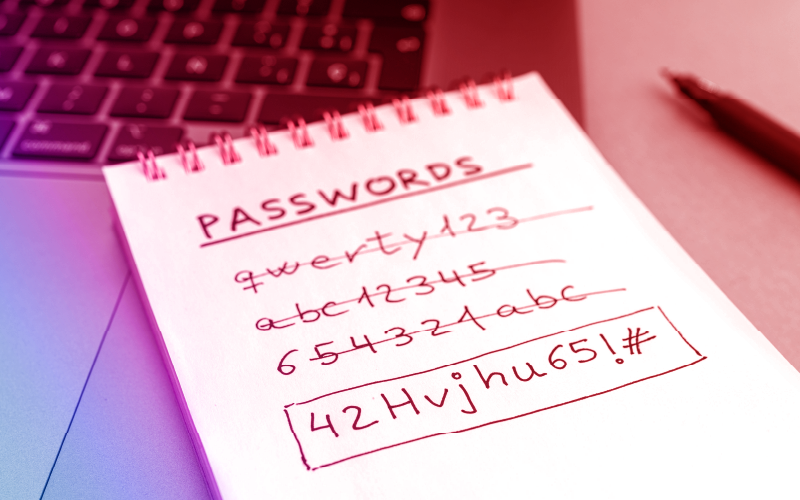

ඔයාලාගේ Facebook, Instagram, Email, Banking Accounts වගේ හැමදෙයකටම password එකක් තියනව නේද? ඒ password එක හරි විදිහට strong නැත්තං, ඔයාලගෙ account එක hack වුණත් පුදුමයක් නෑ. අද අපි බලන්නෙ කොහොමද secure password එකක් create කරන්නෙ, හා අපේ accounts safe වෙලා තියෙන්නෙ කියලා.
🔐 Secure Password එකක් තෝරාගන්නේ කොහොමද ?
- අක්ෂර mix එකක් use කරන්න
- Password එකට capital letters (A-Z), simple letters (a-z), numbers (0-9) සහ symbols (!, @, #, $, %) add කරන්න.
- උදාහරණයක්: Pa$indu2025! මේක ordinary නම් නෙවෙයි.
- Guess කරන්න බැරි විදිහට හදන්න
- ඔයාගේ name, birthday, pet name, 123456 වගේ common දෙවල් avoid කරන්න.
- උදා: Lk#2024$Geek@ – මෙවගේ random-looking password එකක් හොඳයි.
- Minimum 12 characters
- Password එක කුඩා වුණම guess කරන්න ලේසි.
- 12+ characters තියෙනවානම් brute-force attacks වලින් ආරක්ෂා වෙන්න පුළුවන්.
- හැම account එකකටම වෙන වෙනම password එකක්
- එකම password එක multiple accounts වල use කරන්න එපා.
- එකක් leak වුනොත්, තවත් එකතුවක්ම risk වලට exposed වෙනව.
- Password Manager එකක් භාවිත කරන්න
- Bitwarden, 1Password, Dashlane, Google Password Manager වගේ tools වලින් password store කරන්න පුළුවන් securely.
- ඔයාට දැන් passwords memorize කරන්නත් ඕන නෑ!
🛡️ තවත් account protection tips:
- Two-Factor Authentication (2FA) enable කරලා තියන්න.
- Eg: OTP code එක phone එකට එන එක.
- Unknown devices වල login කරන්න එපා.
- Public Wi-Fi use කරන වෙලාවට VPN එකක් use කරන්න.
- Browser එකේ save වෙන passwords trust කරන්න එපා (especially cyber cafes වල).
මේ විදියට අපිට පුළුවන් අපේ තියන online accounts ආරක්ෂා කරගන්න .