



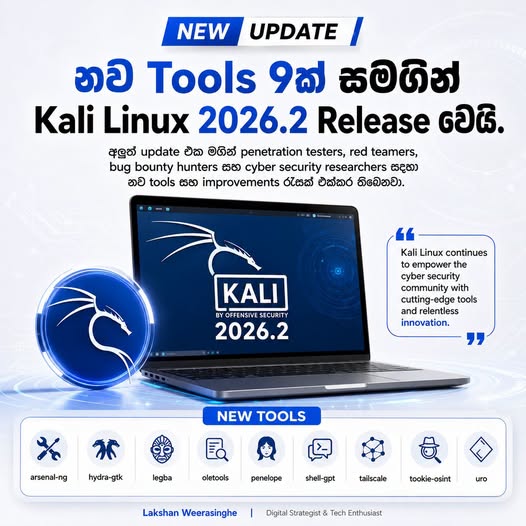

Cybersecurity, ethical hacking සහ penetration testing ලෝකයේ වැඩිපුරම භාවිතා කරන Linux distribution එකක් වන Kali Linux හි නවතම update එක වන Kali Linux 2026.2 නිල වශයෙන් නිකුත් කරල තියෙනවා.
මේක 2026 වසරේ දෙවන Kali Rolling release එක වන අතර, මේ version එක Linux Kernel 6.19 සහ Xfce 4.20.7 සමඟ පැමිණේ.
මෙවර Kali 2026.2 update එකේ ප්රධාන අවධානය යොමු කර තිබෙන්නේ desktop environment improvements, VM performance optimizations, APT sources format වෙනස්කම්, Kali NetHunter updates සහ penetration testers, red teamers, bug bounty hunters, malware analysts, OSINT researchers වගේ cybersecurity professionals සඳහා නව tools කිහිපයක් එකතු කිරීම මතයි.
Kali Team විසින් මෙම release එකට නව tools 9ක් network repositories වෙත එකතු කර තිබේ. ඒවා නම් arsenal-ng, hydra-gtk, legba, oletools, penelope, shell-gpt, tailscale, tookie-osint සහ uro ය.
Kali Linux 2026.2 හි නව Tools 9
1. arsenal-ng
arsenal-ng කියන්නේ Go language එකෙන් build කර ඇති command library එකක්. මේක cybersecurity cheat-sheets 200කට වැඩි ප්රමාණයක් සමඟ එන tool එකක් නිසා, pentesting workflow එකේදී commands මතක තබාගැනීම සහ ඉක්මනින් reference කිරීම පහසු කරනවා.
2. hydra-gtk
hydra-gtk කියන්නේ network logon cracking tool එකක් වන Hydra සඳහා GUI-based version එකක්. මේක Kali වෙත නැවත එකතු කර ඇති tool එකක් වන අතර, CLI commands භාවිතා කිරීමට අමතරව graphical interface එකකින් login testing workflows කළමනාකරණය කිරීමට උපකාරී වෙනවා.
3. legba
legba යනු multiprotocol credentials bruteforcer, password sprayer සහ enumerator tool එකකි. Credential testing, authentication auditing සහ password security assessment වගේ authorized security testing tasks සඳහා මෙය භාවිතා කළ හැක.
4. oletools
oletools කියන්නේ MS OLE2 files සහ Microsoft Office documents analyze කිරීමට භාවිතා කරන toolset එකකි. Malware analysis, phishing document investigation සහ suspicious Office files පරීක්ෂා කිරීමේදී මේල විශේෂයෙන් වැදගත් වෙනවා.
5. penelope
penelope කියන්නේ powerful shell handler එකක්. Reverse shells සහ interactive shell sessions කළමනාකරණය කිරීමේදී red teamers සහ penetration testers සඳහා workflow එක පහසු කරනවා.
6. shell-gpt
shell-gpt කියන්නේ command-line productivity tool එකක් වන අතර, AI large language models භාවිතයෙන් terminal එක තුළ productivity වැඩි කිරීමට උපකාරී වේ. Commands generate කිරීම, explanations ලබාගැනීම සහ terminal workflow එක smart කරගැනීම මෙහි ප්රධාන අරමුණයි.
7. tailscale
tailscale කියන්නේ secure connectivity platform එකකි. Devices අතර private, encrypted network එකක් සකස් කරගැනීමට සහ security testing lab environments හෝ remote access workflows සඳහා මෙය ප්රයෝජනවත් වෙනවා.
8. tookie-osint
tookie-osint කියන්නේ OSINT information gathering tool එකකි. Social media accounts සොයාගැනීම සහ public information gathering tasks සඳහා මෙය Kali තුළින්ම භාවිතා කළ හැක.
9. uro
uro කියන්නේ crawling සහ pentesting workflows සඳහා URLs clean / declutter කිරීමට උපකාරී වන tool එකකි. URL lists විශාල ප්රමාණයක් සමඟ වැඩ කරන bug bounty hunters සහ web pentesters සඳහා මෙය ඉතා ප්රයෝජනවත් වෙනවා.
Desktop Environment Updates ගත්තොත්
Kali 2026.2 සමඟ desktop environments දෙකක් major update ලබාදීල තියෙනවා. ඒ GNOME 50 සහ KDE Plasma 6.6 ය.
Kali Team අනුව GNOME 50 තුළ file manager performance improvements, faster thumbnail/icon loading, better responsiveness, memory usage අඩු කිරීම, accessibility improvements සහ Document Viewer තුළ document annotations support එකතු වෙලා තියෙනවා.
KDE Plasma 6.6 update එකේදී usability සහ accessibility වැඩිදියුණු කරල තියෙනවා. ඒ අතර on-screen keyboard, Spectacle screenshot utility එක තුළ OCR text extraction, color-vision support, Zoom/Magnifier improvements සහ Wayland සඳහා Slow Keys support වැනි features ඇතුළත් වේ.
APT Sources Format වෙනස්කම්
Kali 2026.2 හි තවත් වැදගත් වෙනසක් වන්නේ APT sources format එකයි. Kali Team එක පැහැදිලි කරන්නේ පැරණි sources.list approach එක වෙනුවට දැන් sources.list.d/kali.source format එකට යන බවයි. මෙය package source configuration එක modern සහ consistent ආකාරයකට කළමනාකරණය කිරීමට උපකාරී වන වෙනසක් ලෙස දැක්විය හැක.
VM Boot Optimization
Virtual Machine භාවිතා කරන Kali users සඳහා Kali 2026.2 update එකේ ඉතා වැදගත් improvement එකක් දීල තියෙනවා. Kali pre-built VM images වලින් unnecessary graphics firmware pre-install කිරීම ඉවත් කර ඇති අතර, installer images ද installation එක VM එකකද යන්න detect කර graphics firmware install නොකිරීමට හැකියාව ලබාගෙන ඇත. BleepingComputer වාර්තාව අනුව, මෙම වෙනස නිසා VM users සඳහා initrd size එක 60 MB දක්වා අඩු වී boot time එක QEMU VM test එකකදී ආසන්න වශයෙන් 3x වේගවත් වෙලා තියෙනවා.
Bare-metal installations සඳහා මෙය වෙනස් නොවන අතර, physical hardware එකක install කරන users සඳහා graphics firmware පෙර පරිදිම ලබාදේ. ඒ නිසා normal PC/laptop install කරන users ට hardware compatibility අඩු වීමක් බලාපොරොත්තු වෙන්න ඕනි නෑ.
Kernel 6.19 සහ Kernel 7.0 ගැන
Kali Linux 2026.2 release එක Linux Kernel 6.19 සමඟ නිකුත් කර ඇත. Kali Team අනුව, latest kernel එක release කිරීමට කැමැත්ත තිබුණත්, Kernel 7.0 සමඟ NVIDIA DKMS drivers සම්බන්ධ incompatibility reports තිබූ නිසා, NVIDIA users නොබිඳී තබාගැනීම සඳහා Kernel 6.19 තෝරාගෙන ඇත. Kernel 7.0 අවශ්ය users සඳහා එය kali-experimental repository තුළ ලබාගත හැකි බවද Kali Team සඳහන් කරයි.
Kali NetHunter Updates
Mobile hacking සහ Android-based penetration testing කරන users සඳහා Kali NetHunter පැත්තෙන්ද විශාල updates රැසක් Kali 2026.2 සමඟ ලැබී ඇත. NetHunter app එක දැන් ඉක්මනින් launch වන අතර, custom commands සහ chroot manager සම්බන්ධ bugs කිහිපයක් fix කර ඇත. ඒ අතරට EvilTwin Wi-Fi Fake AP tab එකක්, password verification captive portal support එකක් සහ iptables fixes ද ඇතුළත් වේ.
තවද, Magisk standalone kernel flashing support, qcacld3 injection support සහ නව devices කිහිපයකට NetHunter Pro bare-metal support ද එකතු වී ඇත. BleepingComputer වාර්තාව අනුව NetHunter updates අතර Magisk kernel flashing, qcacld3 injection support සහ additional phone kernels වැනි improvements ද ඇතුළත් වේ.
Upgrade කරද්දී පරිස්සමෙන්
Kali 2026.2 වෙත upgrade කරන users විශේෂයෙන් reboot requirement එක පිළිබඳ අවධානය යොමු කළ යුතුය. Kali Team සඳහන් කරන පරිදි polkit සහ xrdp upgrades system reboot එකක් අවශ්ය කළ හැක. Hyper-V Enhanced Session Mode භාවිතා කරන users සඳහා xrdp issue එකක් ඇති වුවහොත් kali-tweaks තුළ Virtualization section එකෙන් Enhanced Session Mode disable/enable කර reboot කිරීම workaround එකක් ලෙස සඳහන් කර ඇත.
උපුටා ගැනීම : Lakshan Weerasingha